
Submit a Disclosure
A confidential Invention Disclosure launches the process of protecting your intellectual property and exploring pathways to bring your technology to market.
Tips for Navigating the Interface
When you first log in, you’ll see two sections:
Inventor Homepage: Here you can find all of your previously accepted disclosures, whether from the old or new system. Disclosures from the old system will have a number in the format 12345, whereas disclosures started in the new system will use the format 2020-123.
Your Disclosures: Here you can find all of your disclosures that were submitted using the current system, along with their status. Once a new disclosure has been accepted, a corresponding record will appear in the Inventor Homepage section.
If you cannot view your previous disclosures upon logging in, please contact us. We can resolve the issue quickly.
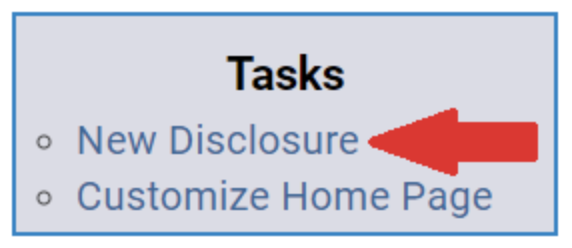
To submit a new disclosure: In the “Tasks” box, select “New Disclosure” and then follow the prompts.
Please note that disclosure signatures will now be collected using DocuSign.
If you’re submitting a disclosure over a wireless network other than eduroam, it is recommended to use the NC State VPN. However, access to the portal is not restricted to the VPN. If you need help installing or using the VPN, please contact your department’s IT staff or the NC State Help Desk.